![Invelo square logo-1.png]](https://helpdesk.inveloapp.com/hs-fs/hubfs/Invelo%20square%20logo-1.png?height=40&name=Invelo%20square%20logo-1.png)
Creating a custom direct mail template in Invelo allows you to fully personalize your outreach, strengthen your branding, and increase response rates. With flexible design tools, merge fields, and powerful add-ons, you can build mail pieces tailored to each property owner in your campaign.
How to create a custom direct mail template
Follow these steps to create your own template:
-
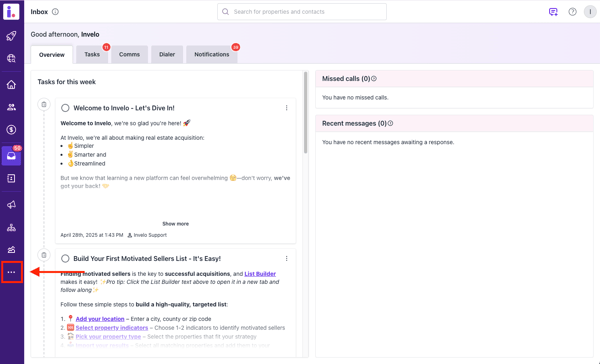
Go to the More section in the left-hand menu.
-
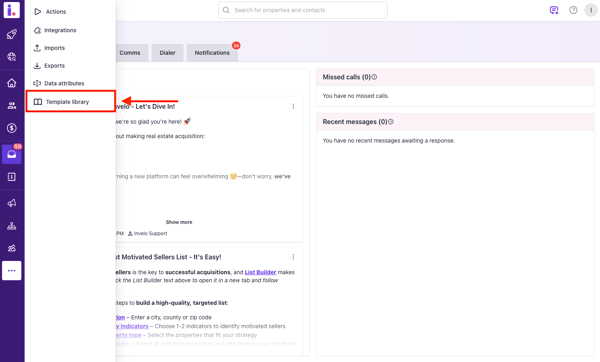
Click Template Library.
-
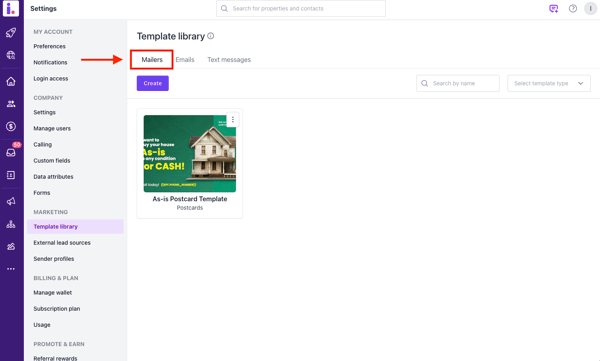
Select the Mailers tab.
-
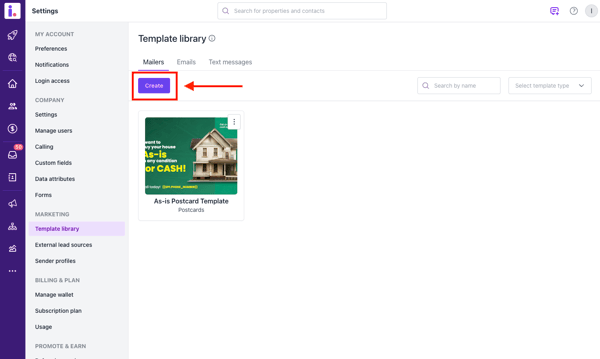
Click Create.
-
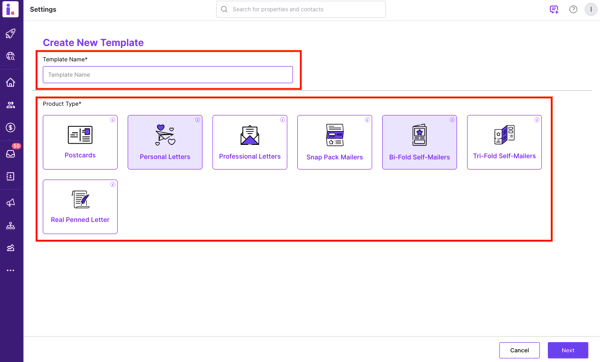
Enter a Template Name and select the Type of Direct Mail you want to create.
-
Click Next.
You’ll then be redirected to the template editor where you can fully design your mail piece.
Designing your direct mail template
Inside the editor, you can customize your mailer using the following tools:
Add text and design elements
-
Insert and edit text blocks
-
Add shapes and lines
-
Customize fonts, sizing, and layout
Upload images
You can upload your own images to personalize your mailers.
Accepted File Formats:
-
JPEG
-
PNG
-
SVG
Maximum File Size:
-
5MB per image
Background customization
-
Add or modify background colors
-
Upload custom background images
Layer editing
-
Adjust and organize layers
-
Bring elements forward or send them backward
-
Fine-tune layout alignment
Add merge fields
Merge fields automatically personalize each mail piece with recipient-specific details such as:
-
Owner name
-
Property address
-
City, state, and more
This allows you to scale personalization across your entire campaign.
Add a QR code
You can insert a QR code to:
-
Direct recipients to a landing page
-
Capture leads
-
Provide additional information
Optional Add-Ons
Enhance your direct mail with optional features:
Street View Property Image – $0.02 per piece
Automatically includes a Google Street View image of the recipient’s property for added personalization and impact.
Add an Offer – $0.03 per piece
If you're unsure about your offer percentage, this add-on dynamically generates an offer amount for you.
Final step
Once your design is complete:
-
Review your template
-
Save your changes
-
Use the template in your direct mail campaigns
Creating a custom template gives you full creative control while leveraging Invelo’s automation and personalization tools to maximize results.
Need support?
In case you need any help or support creating your direct mail template, feel free to send our support team a message through the in-app chat or email at support@inveloapp.com.