![Invelo square logo-1.png]](https://helpdesk.inveloapp.com/hs-fs/hubfs/Invelo%20square%20logo-1.png?height=40&name=Invelo%20square%20logo-1.png)
Invelo’s CRM allows you to tailor the columns displayed in your Prospects view so you can focus on the data that’s most important to you. Customizing your columns helps streamline your workflow and ensures you have quick access to the details you need.
To customize your columns view in the CRM, follow these steps:
-
Open Your Prospects CRM:
-
Navigate to the Prospects CRM in your Invelo account.
-
-
Access Column Customization:
-
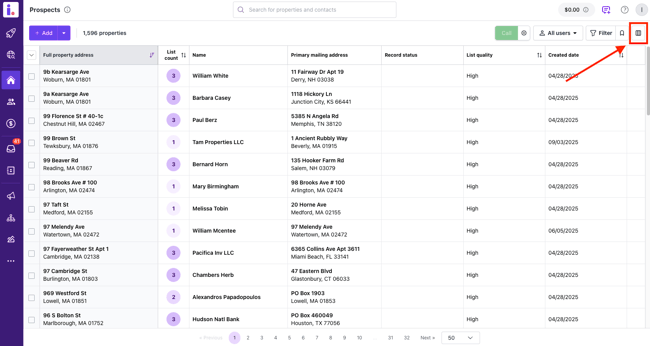
Click the Customize Columns button located at the top-right corner of the page.
-
-
Select Columns to Display:
-
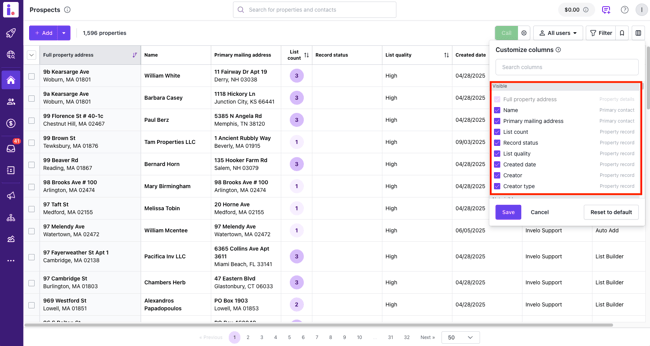
A dropdown list will appear showing all available columns.
-
Check the boxes next to the columns you want to display.
-
-
Arrange Columns:
-
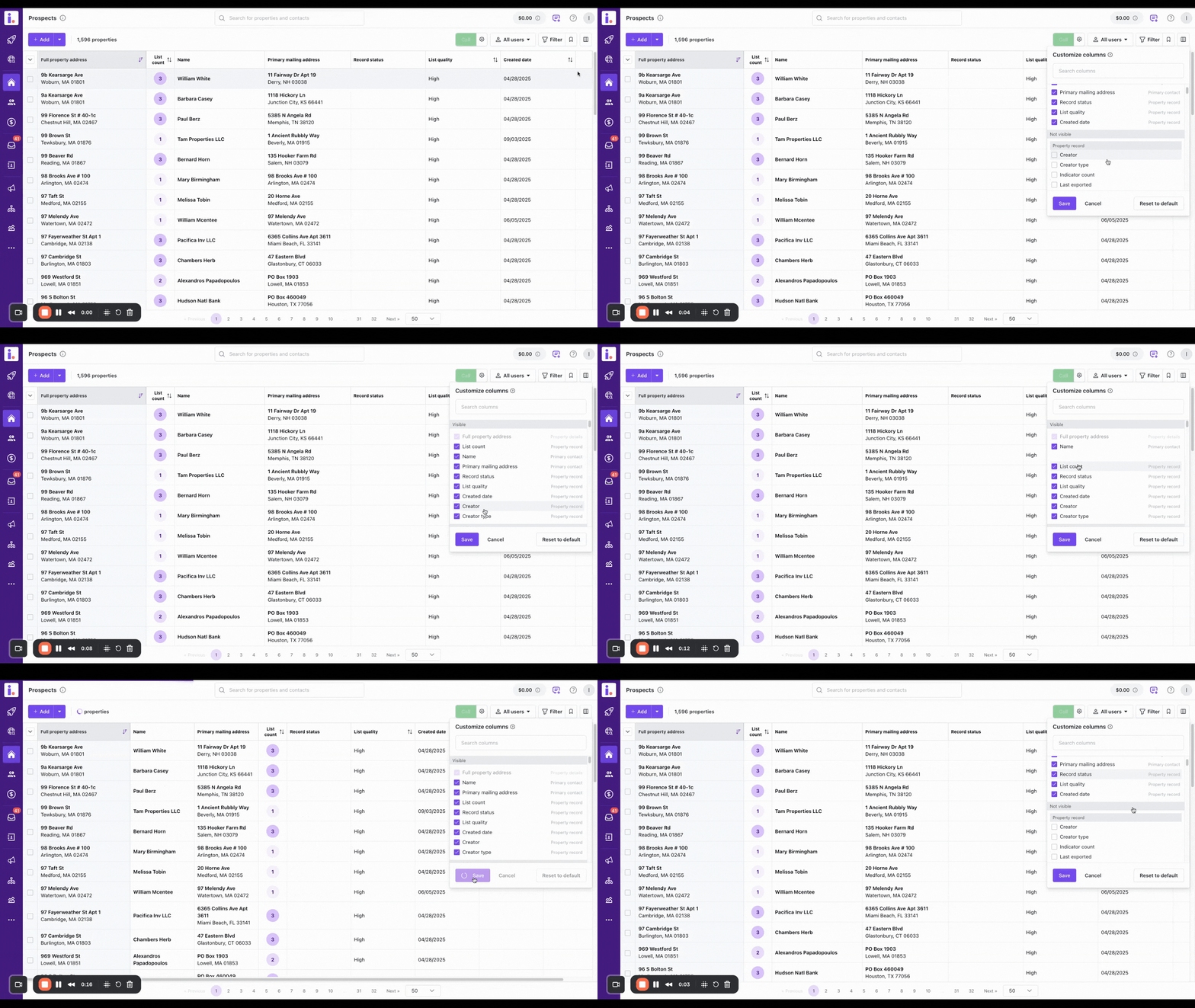
Drag and drop the selected columns in the order you want them to appear in your CRM view.
-
-
Save Your Changes:
-
Once you’re satisfied with your selection and arrangement, click Save to apply the changes.
-
Customizing your columns allows you to create a CRM view that fits your workflow, making it easier to manage your prospects and track key information efficiently.
In case you need any support, you can reach out to our team by sending us a message through the in-app chat, or email at support@inveloapp.com.