![Invelo square logo-1.png]](https://helpdesk.inveloapp.com/hs-fs/hubfs/Invelo%20square%20logo-1.png?height=40&name=Invelo%20square%20logo-1.png)
Want to tweak an existing mailer instead of starting from scratch? In Invelo, you can easily edit one of our pre-built direct mail templates and make it your own. This allows you to keep the proven structure while customizing the messaging, branding, and design to better fit your campaign goals.
How to edit an existing direct mail template
Follow these steps to access and modify an Invelo direct mail template:
Step 1: Navigate to the Template Library
-
From the left-hand menu, click More.
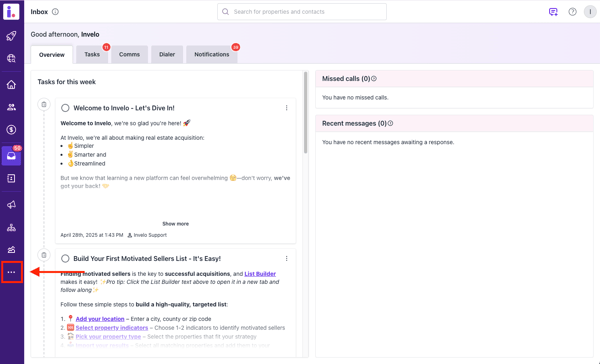
-
Select Template Library.
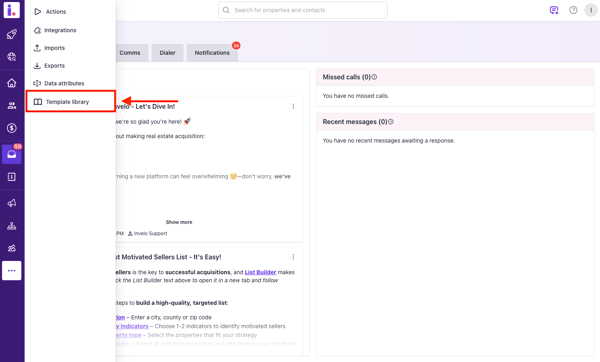
-
Go to the Mailers tab.
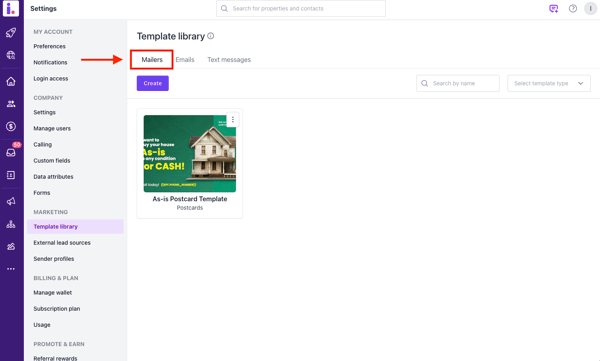
Step 2: Create a new template
-
Click Create.
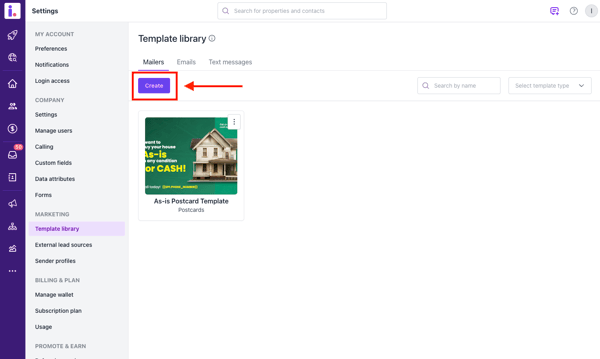
-
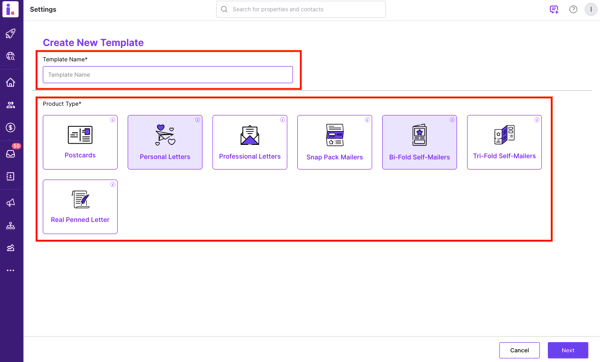
Select your preferred Direct Mail product type (e.g., postcard size) and add a Template Name.
-
Click Next to enter the Template Editor.
Step 3: Edit an Invelo template
-
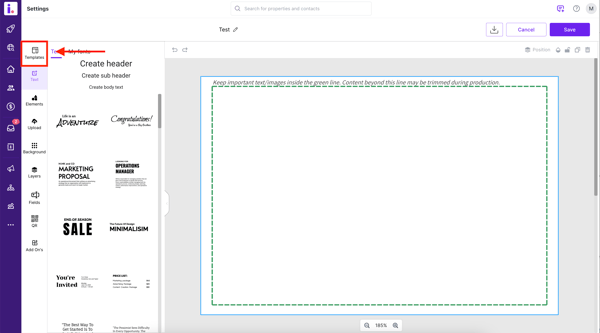
Inside the Template Editor, click Templates.
-
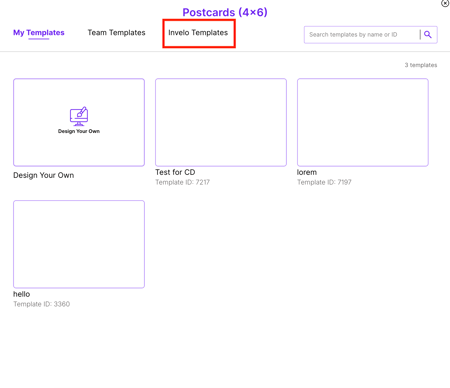
Select Invelo Templates.
-
Choose the template you’d like to edit and click Edit template.
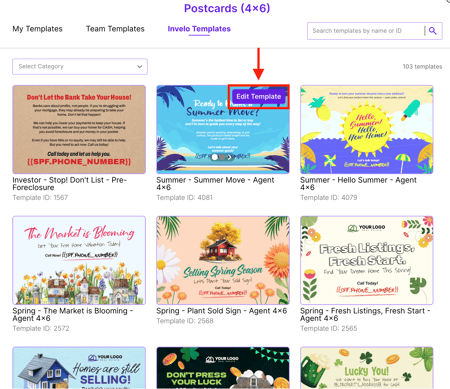
Once selected, the template will load into the editor, where you can customize:
-
Text content (headlines, body copy, contact details)
-
Fonts and formatting
-
Images and branding elements
-
Shapes, lines, and design components
Be sure to save your changes before exiting.
Pro Tip
Editing an existing Invelo template is a great way to save time while leveraging high-performing designs. Just personalize the message to reflect your market, offer, and brand voice for the best results.