![Invelo square logo-1.png]](https://helpdesk.inveloapp.com/hs-fs/hubfs/Invelo%20square%20logo-1.png?height=40&name=Invelo%20square%20logo-1.png)
Integrating Mailchimp with Invelo allows you to sync contacts and streamline your email marketing campaigns directly from your workflow. Before getting started, make sure you already have an active Mailchimp account.
How to connect Mailchimp to Invelo
Follow the steps below to successfully connect your Mailchimp account:
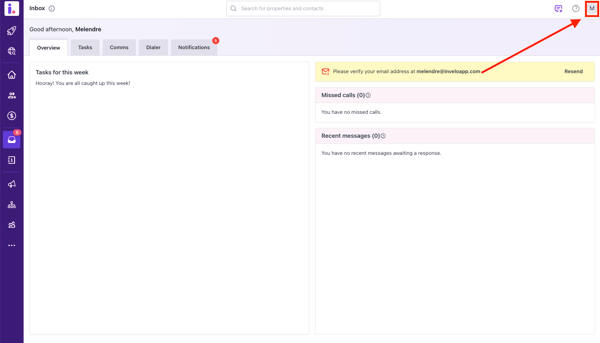
- Click your profile icon located in the top-right corner of the page.
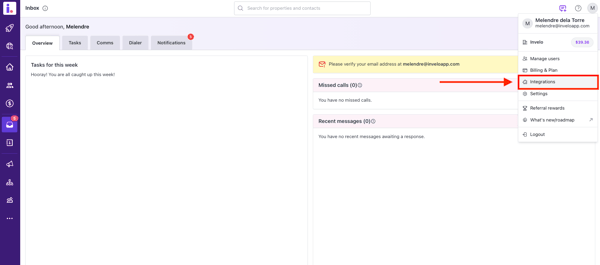
- From the dropdown menu, select Integrations.
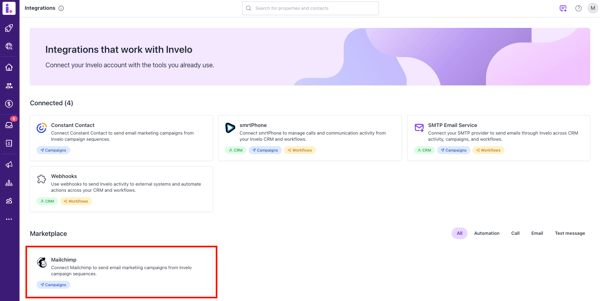
- On the Integrations page, locate and select Mailchimp.
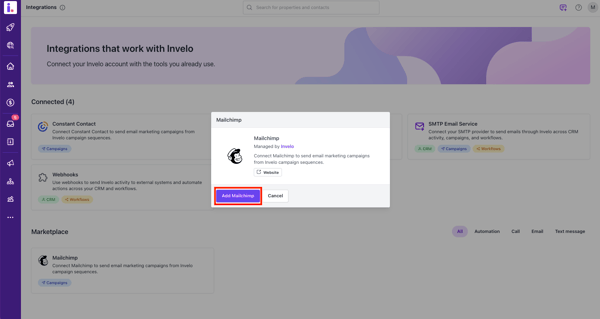
- Click Add Mailchimp.
- Select Connect with Mailchimp.
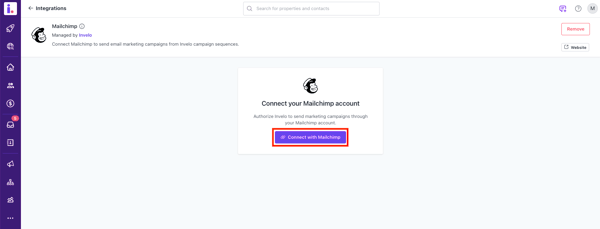
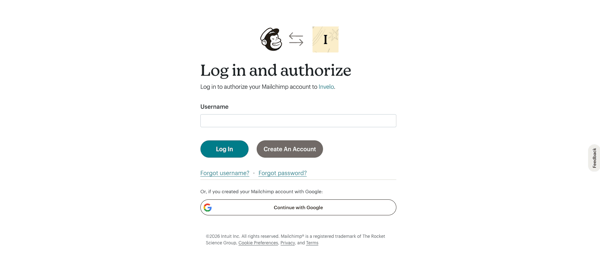
- You will be redirected to the Mailchimp Login Page. Log in using your Mailchimp credentials.
- After logging in, authorize the integration by clicking Allow.
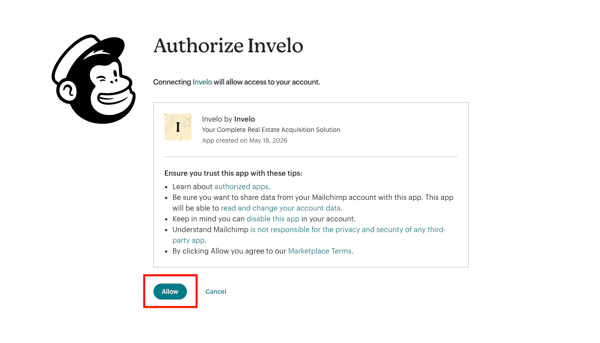
Once connected, your Mailchimp integration will be successfully linked to Invelo, allowing you to manage and sync your marketing efforts more efficiently. If you experience any issues during setup, please contact the Invelo Support Team for assistance.
Need support?
In case you need help with integrating your Mailchimp account to your Invelo account, feel free to send our support team a message in the in-app chat or email at support@inveloapp.com. We're happy to help.