![Invelo square logo-1.png]](https://helpdesk.inveloapp.com/hs-fs/hubfs/Invelo%20square%20logo-1.png?height=40&name=Invelo%20square%20logo-1.png)
Once you've launched a marketing campaign in Invelo, it's important to track its progress to ensure your outreach is running smoothly. Whether you're sending direct mail, email, or SMS, Invelo provides detailed batch-level reporting so you can monitor performance and address any issues quickly.
To check the status of your campaign
-
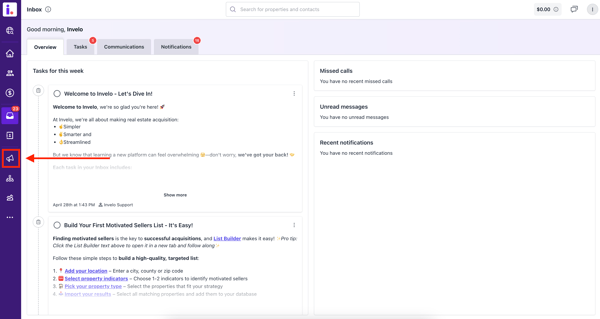
Navigate to the Marketing tab in your Invelo dashboard.
-
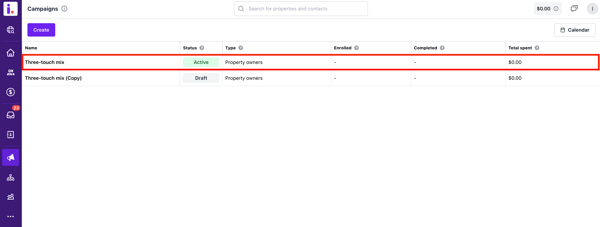
Click on the campaign you want to review.
-
Once on the campaign page, go to the Details tab.
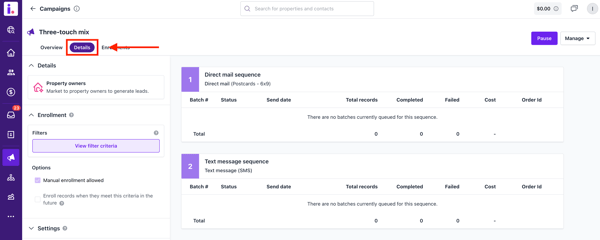
What You’ll See in the Details Tab:
-
Status of each batch within the campaign
-
Number of records completed
-
Number of records failed
-
Cost per batch
This breakdown helps you monitor your outreach progress and troubleshoot any issues that may arise during the campaign.
To check the status of the records enrolled
-
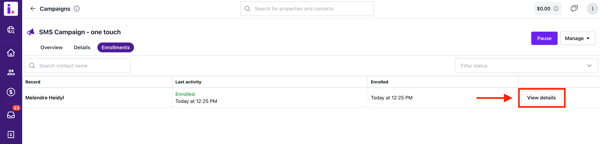
In the campaign page, select the Enrollments tab. This is where you'll see all the records enrolled in the campaign.
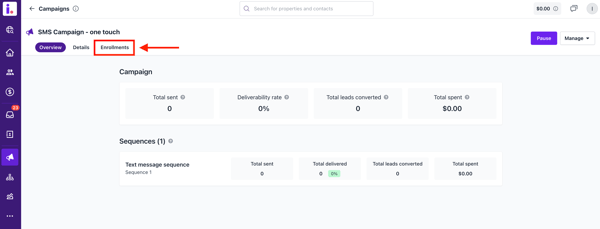
- Choose the record you'd like to check and click on View details.
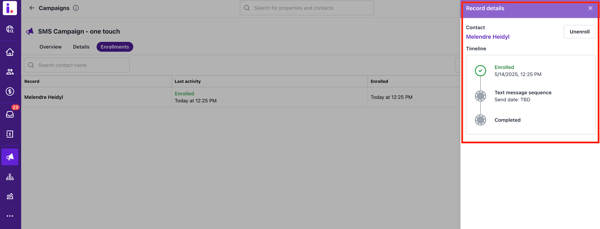
- Once the Details modal appears, you can check the status of each marketing sequence of the record.
If you notice unexpected failures or need help interpreting the data, feel free to reach out to our support team via chat or email us at support@inveloapp.com. We’re here to help!