![Invelo square logo-1.png]](https://helpdesk.inveloapp.com/hs-fs/hubfs/Invelo%20square%20logo-1.png?height=40&name=Invelo%20square%20logo-1.png)
How to Manage External Sources in Invelo
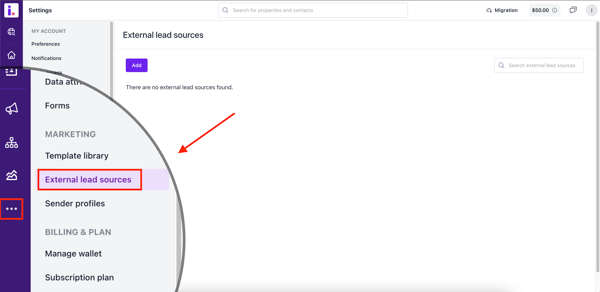
- Navigate to the "More" section, choose the "External Lead Sources" tab. Click on this tab to manage and add new lead sources.
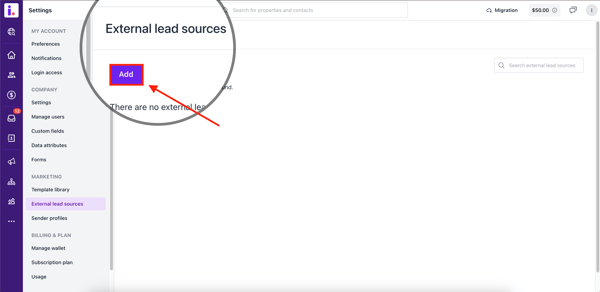
- Click on the "Add" button to create a new external lead source.
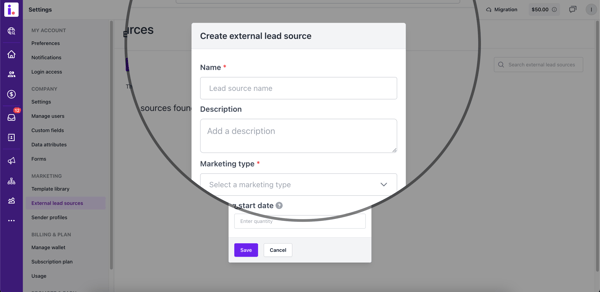
- A pop-up will appear, allowing you to enter details about your external lead source.
- Choose the marketing type from the available options. This step is required.
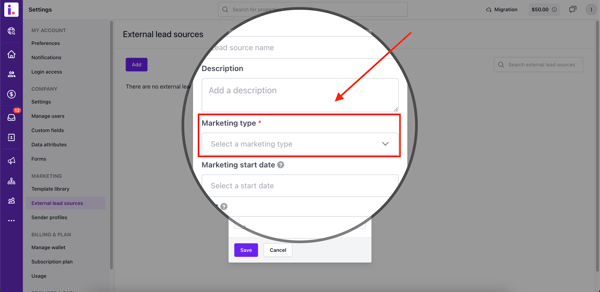
- Select from marketing types such as:
- Door Knocking
- Email Marketing
- Cold Calling
- Billboards
- And more...
- Select from marketing types such as:
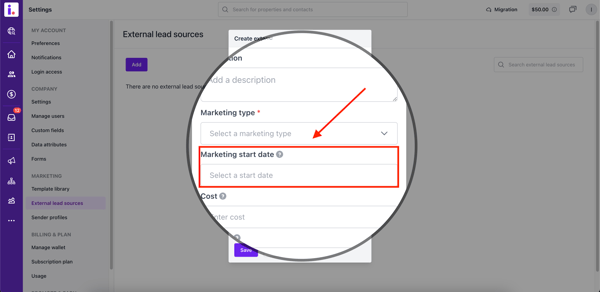
- Choose your Marketing start date. This is the date the lead source was activated or when you began using it to generate leads.
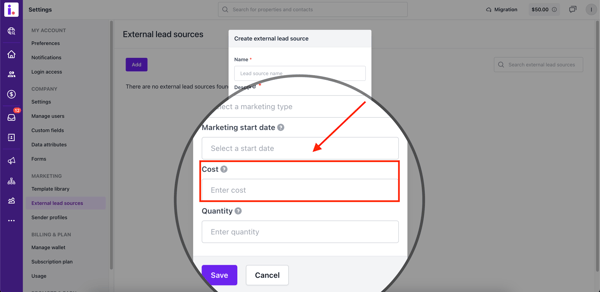
- In the Cost section, this is the total amount spent on this lead source.
-
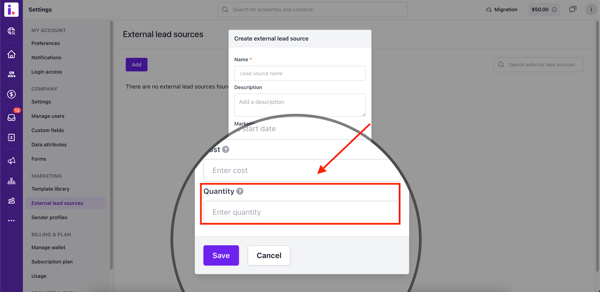
Finally, in the Quantity section, enter the total number of marketing items (e.g., mailers, emails, or messages) sent or distributed to this lead source.
- After filling in the necessary information, click the "Save" button.
- Your new lead source will now be saved and available for use.