![Invelo square logo-1.png]](https://helpdesk.inveloapp.com/hs-fs/hubfs/Invelo%20square%20logo-1.png?height=40&name=Invelo%20square%20logo-1.png)
Sometimes you may want to add just one contact to your database—whether it's a lead you met offline, someone who reached out directly, or a record that didn't come from a list import. In this guide, we’ll walk you through how to manually add a single contact into your Invelo database, step by step.
Add an Individual Contact
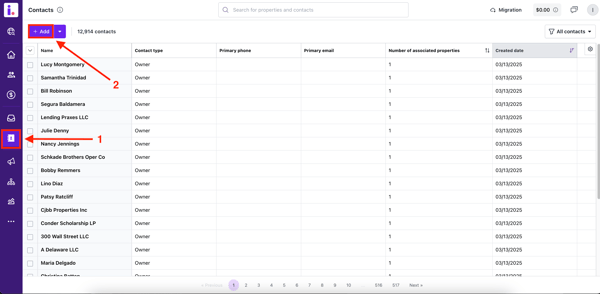
- Navigate to the Contacts section. Then click the Add button on the top left corner of the page.
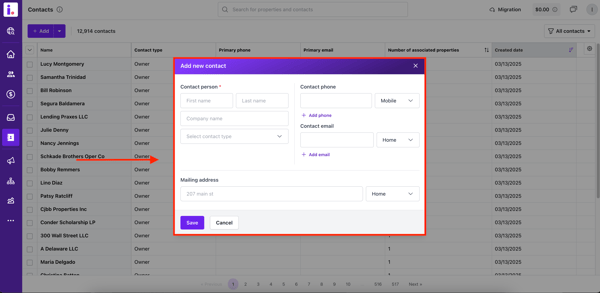
- A pop-up will show to add a new contact.
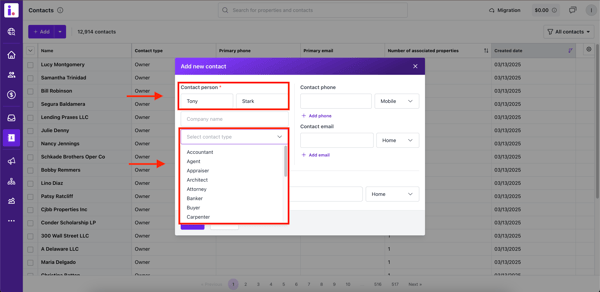
- Enter the contact's first and last name and optionally add a company name. Then, select the contact type from the dropdown, such as buyer, lender, banker, real estate agent, etc.
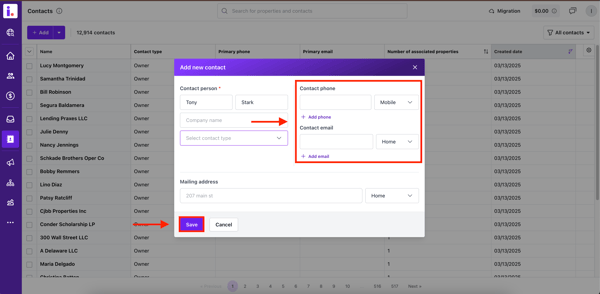
- A phone number, email, or mailing address is required to save the contact. Once you click on Save, the contact will now be added to your Contacts section.