![Invelo square logo-1.png]](https://helpdesk.inveloapp.com/hs-fs/hubfs/Invelo%20square%20logo-1.png?height=40&name=Invelo%20square%20logo-1.png)
Sending one-off direct mail campaigns from the CRM Columns View allows you to take immediate action on selected prospects—without going through the full campaign setup process. This feature is designed for speed and simplicity, letting you send mail directly from the Prospects list while still using your saved direct mail templates, sender profiles, and cost estimates.
How it works
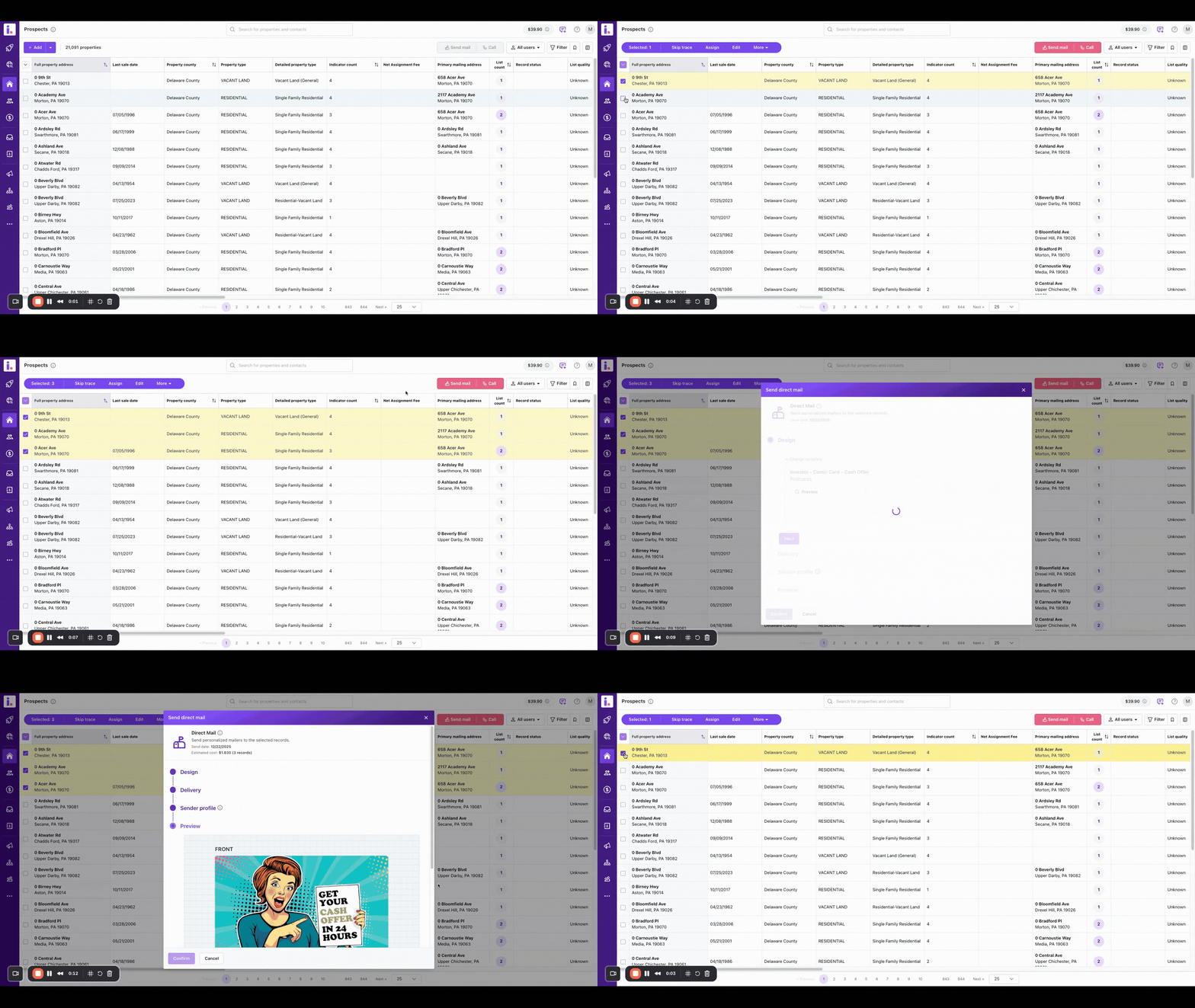
1. Select Prospects from the Columns View
-
Go to your Prospects CRM
-
Use the checkboxes to select one or multiple prospects.
-
Once prospects are selected, click Send Mail from the available actions.
2. Review the Quick Send Modal
After clicking Send Mail, a quick modal will open with the following details:
-
Direct Mail Template
-
A direct mail template is pre-selected by default.
-
Click Edit to open the full Direct Mail Gallery and choose a different template if needed.
-
-
Sender Profile
-
Your sender profile is automatically filled in.
-
If any required information is missing, you can edit it directly from the modal before proceeding.
-
-
Estimated Cost & Send Date
-
The modal displays the estimated cost based on the selected prospects and template.
-
The estimated send date is shown as the next available send day.
-
3. Confirm and Schedule
-
Click Confirm to proceed.
-
A toast notification will appear: “Direct mails are scheduled.”
Your mail is now queued for sending.
Campaign behavior and rules
-
A campaign is automatically created using the direct mail template name with the Send ASAP option.
-
If you continue sending mail using the same direct mail template, new prospects will be added to the existing campaign instead of creating a new one.
-
One-off campaigns created this way:
-
Cannot be paused or edited
-
Can be canceled if needed
-
When to use this feature
-
Sending quick mail to a short list of prospects
-
Acting immediately on filtered or newly added records
-
Avoiding the overhead of building a full campaign for simple sends
This workflow helps you stay fast and efficient while still leveraging your existing direct mail templates and sender profiles.